
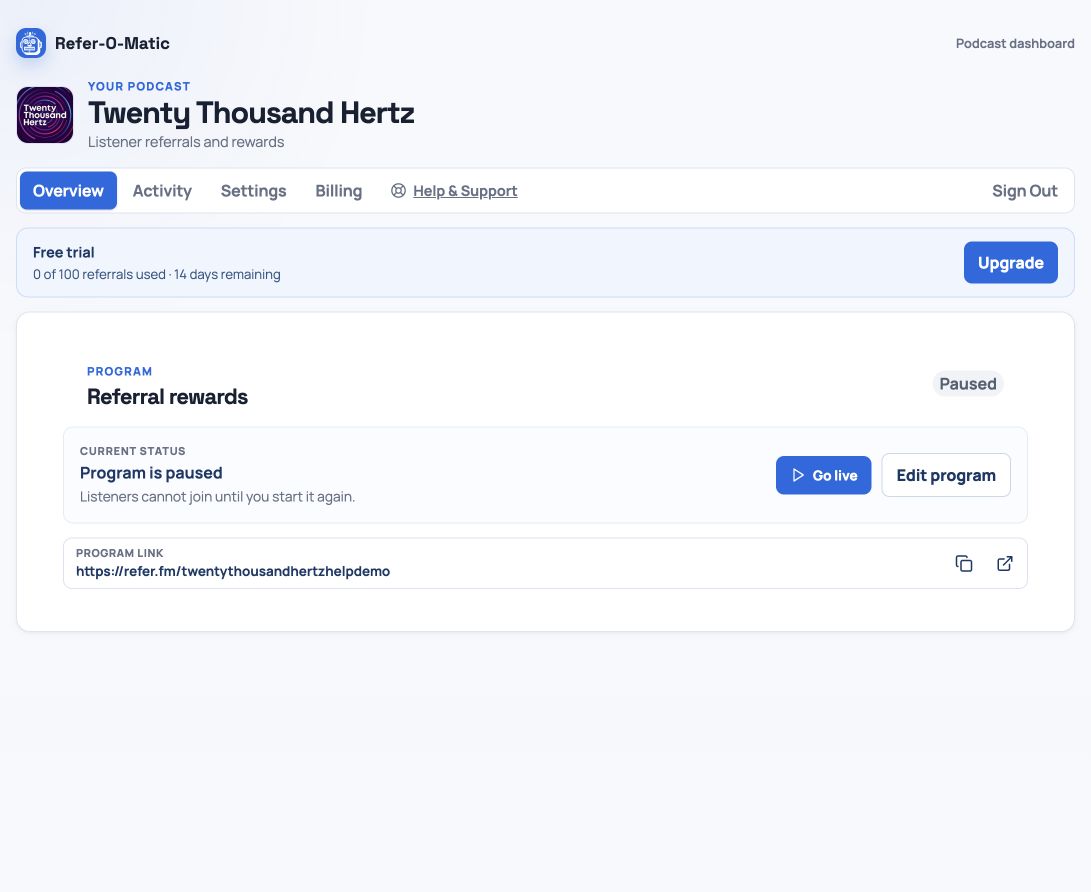
1. Open Referral rewards
In your podcast dashboard, open Referral rewards. If a program already exists, select Edit program to return to its setup details.
2. Select Leaderboard
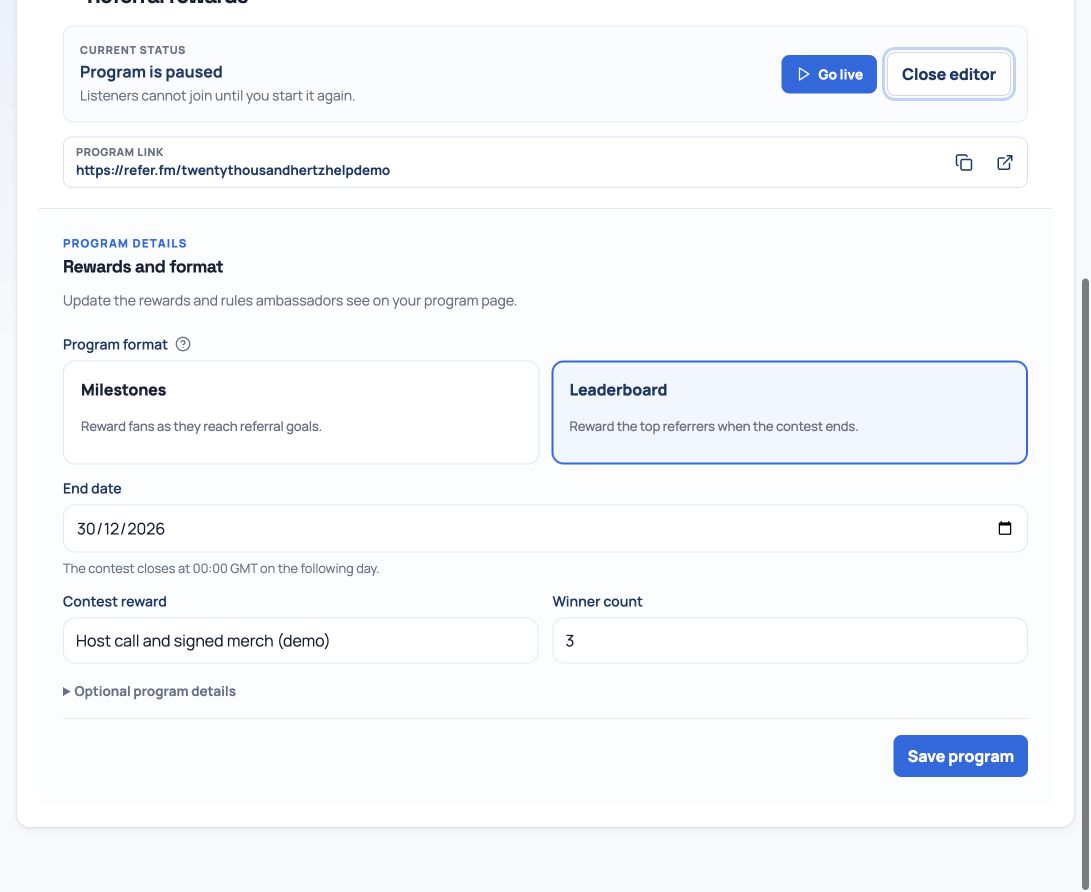
Choose Leaderboard for a contest with a finish line. This format is designed for short, focused promotions where ambassadors can see how their referral activity compares with other participants.
3. Set the contest details
Add all three required details: an end date, a concrete reward, and the number of ambassadors who can win. The end date gives the contest its urgency; the reward and winner count explain exactly what the top ambassadors are working toward.
Ends June 30 — Top 3 ambassadors receive a host call and signed merch.
4. Check that the prize is easy to understand
Avoid vague prizes such as “something special.” Name the reward, say how many people win, and make sure the fulfilment plan is realistic before launch.
5. Save, then go live when ready
Select Save program once the end date, reward, and winner count are complete. The save confirmation means the details are valid; it does not start the contest. Select Go live separately when you are ready for ambassadors to join.
Which time zone does the end date use?
The dashboard’s selected end date is the last full day of the contest in UTC. For example, selecting June 30 sets the closing boundary to July 1 at 00:00 UTC. Include the time zone in your announcement so listeners do not assume the deadline uses their local time.
Plan the promotion before you launch
For an illustrative season-launch contest, offer the top three ambassadors a host call and signed merch, choose a future end date, and reserve enough time and stock for all three prizes. Announce the same reward, winner count, and deadline in your episode and show notes. The numbers here are planning examples, not expected results.
- Save the prize description, winner count, and future end date.
- Choose Go live, then open the public program link to check the offer.
- Prepare an announcement and a reminder that both state the UTC deadline.
- Decide who will review the results and arrange prize delivery.
Review results before announcing winners
Referrals are based on eligible listening-option clicks, not verified listens. Duplicate and activity checks can affect credited totals. Review the rankings and any unresolved activity before announcing winners. If participants are tied at the last winning place, contact support before promising a particular tie-break outcome; do not assume the displayed order guarantees a “first to reach the score” rule.
Plan reward delivery yourself: choosing a prize in the editor does not ship merchandise or book a host call. If you need to change the offer after promoting it, review your saved details and update your listener communications so they agree.